

dde-clipboard
Description
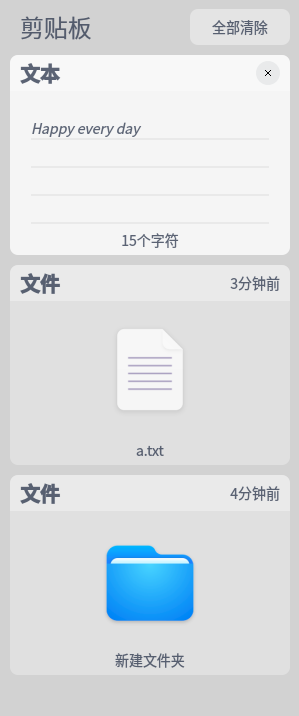
The clipboard displays all text, pictures and files copied and cut after the current user logs in to the system. Use the clipboard to quickly copy an item. After logging off or shutting down, the clipboard will be emptied automatically.
Software Architecture
Software architecture description
Installation
dnf install dde-cliboard
Instructions
- Use the shortcut keys Ctrl + Alt + V to call up the clipboard.
- Double-click a block in the clipboard, the current content will be quickly copied, and the current block will be moved to the top of the clipboard.
- Select the destination to paste.
- Move the mouse to a certain area of the clipboard, click the upper X to delete the current content; click Clear All at the top to empty the clipboard.
Contribution
- Fork the repository
- Create Feat_xxx branch
- Commit your code
- Create Pull Request
Gitee Feature
- You can use Readme_XXX.md to support different languages, such as Readme_en.md, Readme_zh.md
- Gitee blog blog.gitee.com
- Explore open source project https://gitee.com/explore
- The most valuable open source project GVP
- The manual of Gitee https://gitee.com/help
- The most popular members https://gitee.com/gitee-stars/